
Visiopharm software updates: 2026.08.1
We’re excited to share that a new release of the Visiopharm Platform has arrived. The 2026.08.1 Release, available August 2026, brings a range of enhancements designed to make your experience smoother, faster, and more intuitive. Our last release was 2026.02.1 in February 2026, and we’ve been busy building improvements we think you’ll appreciate.
Prefer to read? Keep scrolling to explore the key enhancements.
What’s new
New drawing tool bar
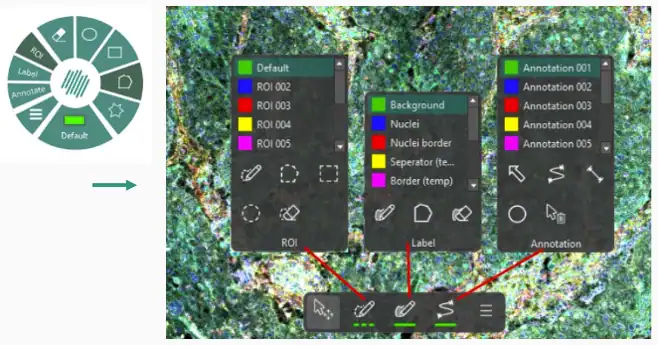
A new Drawing Tool bar is located at the bottom of the working area. The user can now see the drawing tool by default and the conventional layout means that it is easier to navigate and draw overlays. The new tool contains the existing tools from the wheel.
Overlay panel
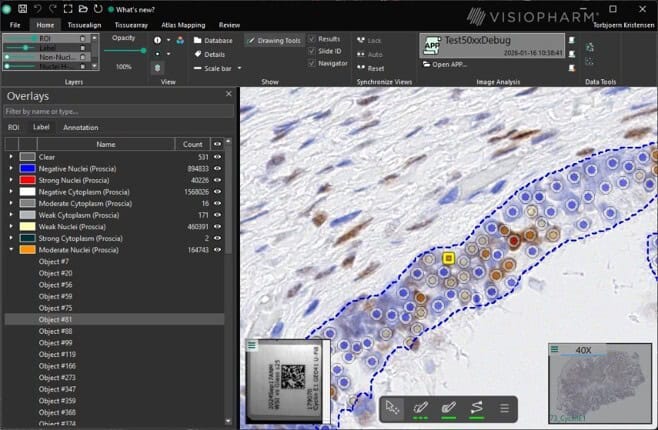
A new Overlay Panel is available in the Viewer. It can be toggled on/off from the View section in the Ribbon. The panel lists the ROIs, labels and Annotations in the image and can be used to review the training labels in the image or the results from an APP. The Overlay Panel is interactive and allows the user to change the class, the type, rename or delete and object. Furthermore, there is a search option and when selecting an object in the list, it zooms to the corresponding object in the image.
Simplified ribbon
This release comes with a Simplified Ribbon where wording, icons, and placements of features have been updated.

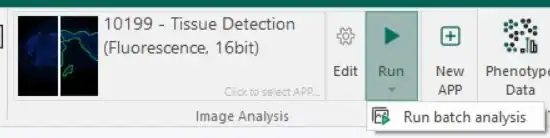
A Batch Analysis can now be started directly from the ribbon.
Quickstart APPs
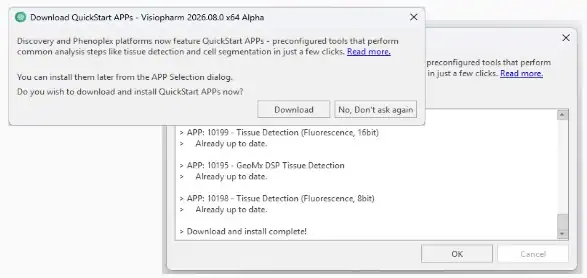
It has been made easier to access Quickstart APPs. At first startup or upgrade, the user is asked if they want to download Quickstart APPs.
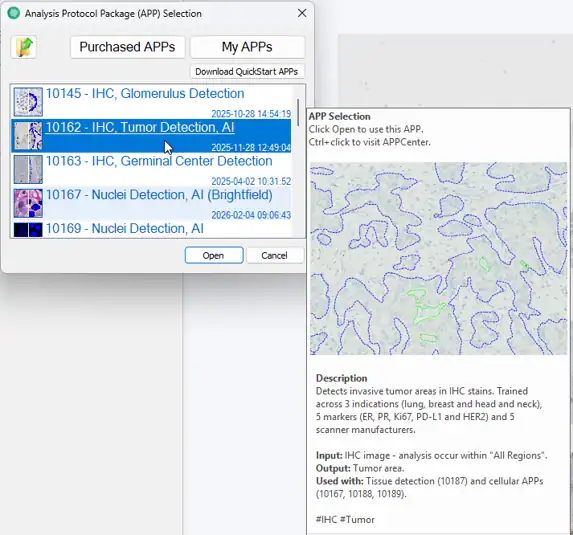
When hovering over a Quickstart APP, information about the APP and an example of the analysis are shown. This makes it easier to understand how the APP works and which other APPs it can be combined with.
New and updated Quickstart APPs
This release introduces 3 new Quickstart APPs and an update to an existing APP.
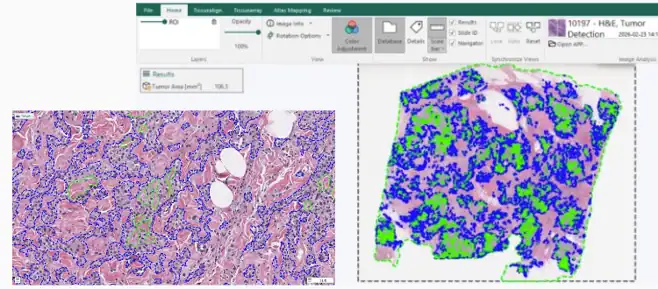
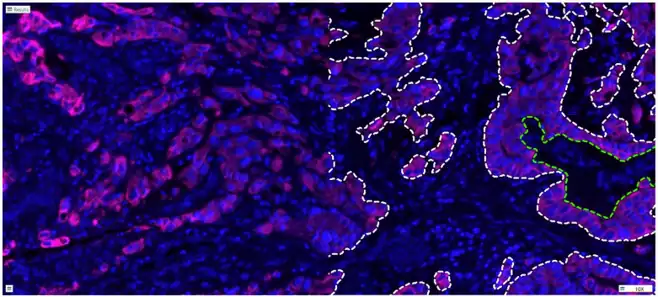
10197 – H&E Tumor Detection
The APP has been trained on 5 indications; breast, lung, colon, and ovarian tissue. It outlines tumor with a ROI and calculates the tumor area in mm2. It can help with downstream analysis such as comparing tumor areas between samples, multi-modal analysis, and detection of cells within the tumor.
10198 & 10199 – Tissue Detection (Fluorescence)
The Quickstart APP portfolio was missing tissue detection for fluorescence images, 10198 – Tissue Detection (Fluorescence, 8bit) and 10199 – Tissue Detection (Fluorescence, 16bit) solves this issue. The APPs output area of tissue in mm2 and counts the number of tissues on the slide.
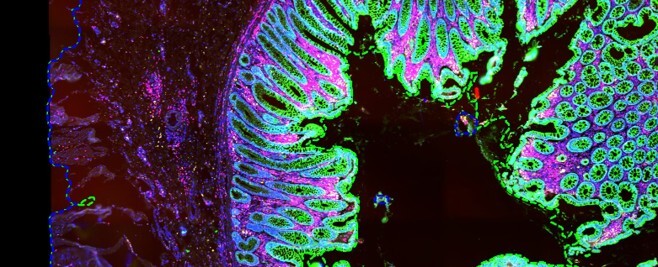
10200 – Tumor Detection (Fluorescence)
AI based tumor detection APP for fluorescence images. It runs on DAPI and PanCK as the input channels. It outlines the tumor with a ROI and calculates the tumor area in mm2 and the tumor area percentage. It works on 8bit images out of the box, but the input intensity ranges can be adjusted for it to work on 16bit or higher.
Updated 10162 – IHC Tumor Detection
The updated APP has been trained on breast, lung, and head/neck cancer. The APP performance has improved across all three indications. It outlines the tumor with a ROI and calculates the tumor area in mm2.
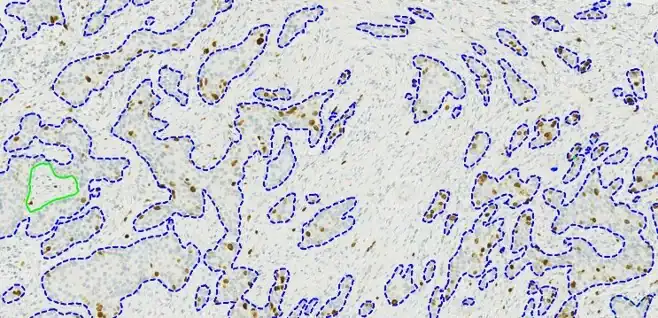
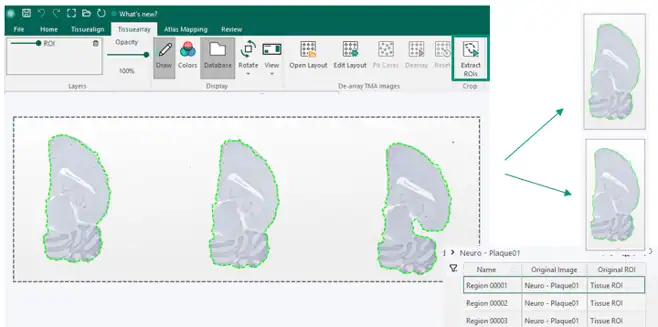
Image crops
As part of Tissuearray a feature has been added to make it possible to create image crops based on ROIs. The workflow replicated the Tissuearray behavior by saving the cropped images in a subfolder and image resolution is preserved.
AI inputs and training
There are now more options for AI inputs, beyond just the channels presented with the image. These additional channels are derived channels and deconvolved channels.
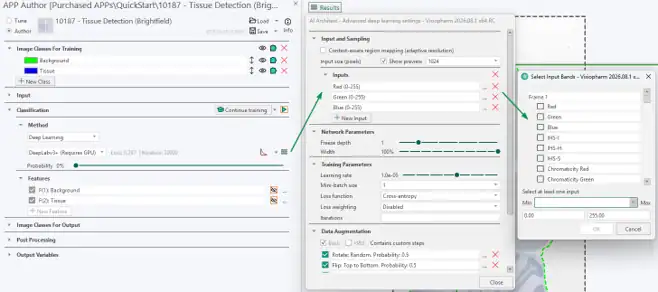
The AI input upgrades triggered the internal AI data pipeline to be rewritten and optimized which results in faster AI training. The changes were internal optimizations in data-serving, loading and pre-processing that feed tiles to the deep learning training much faster.
CUDA Toolkit has been updated to ensure Visiopharm is compatible with newer NVIDIA GPUs RTX 50xx, 60xx series for AI training. The updates will support Hopper and Blackwell architecture GPUs. This also means that this release will not support GTX 10xx (Pascal architecture) and older. This is due to Nvidia marking Pascal as end-of-life already in October 2025.
For Customers only
You can find full details in our release notes and download the latest version on the download page.
Please note that this release is for research use only
Guides and videos showing the new features can be found on our e-learning portal.
If you’re unable to download the update, please reach out to our support team.
We hope these enhancements make your work in Visiopharm even more efficient and enjoyable. Thank you for being part of the Visiopharm community — we’re excited for you to explore what’s new.
Share this article